
English
AI tools share the hub's gateway
Your API key or subscription goes into the hub one time. Claude Code and Codex on the computer, and on a laptop with the client, then send their requests through the hub's AI gateway.
Before you start, finish the Step zero, and have an API key or a subscription account at hand.
Put your key or subscription into the hub
With an API key, store it and add its provider:
- In the panel's sidebar, open Credentials.
- Under Tokens, select Add token, fill Name and paste the key into Value.
- Select Save token.
- Open AI, and under Providers, select Add provider.
- Type a Name, pick the Kind of the key's service, such as Anthropic for an Anthropic key, and pick the token under API token.
- Under Model aliases, type one model name per line, spelled as the provider spells it.
- Select Save provider.
- Select Apply providers.
With a subscription, sign in to it instead:
- On the AI page, under Accounts, select Sign in and pick the subscription.
- Open the address the dialog shows, and sign in there.
- For a code sign-in, enter the code on that page. For a redirect sign-in, copy the address of the page that fails to load into Address bar or code.
- Select Finish sign-in.
Activity, at the top of the AI page, reads Serving and the number of models.

Point the computer's tools at the gateway
- Open Modules.
- Under Which machine, select your computer.
- Under Global configuration, select This machine's AI tools use the hub's AI gateway.
The line under the switch names the accounts that run VS Code, code-server or CloudCLI on the computer. Each one's row reads Uses the hub's AI gateway. Claude Code in that account now sends its requests through the gateway, in a terminal and in the CloudCLI sessions you open on the phone.
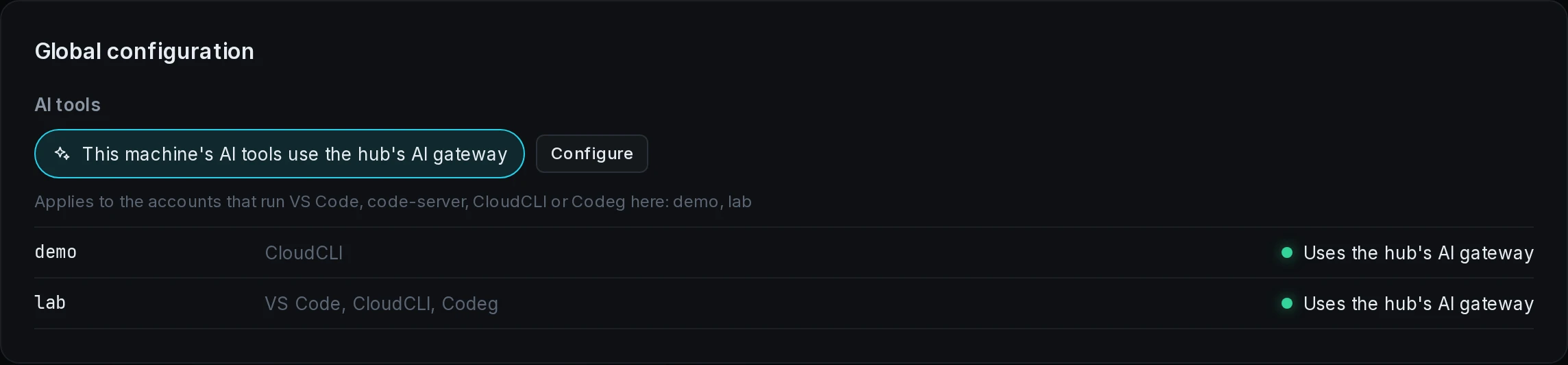
When a row shows a red dot, Troubleshooting lists its cause.
Point the laptop's tools at the gateway
If you have no laptop, skip this section.
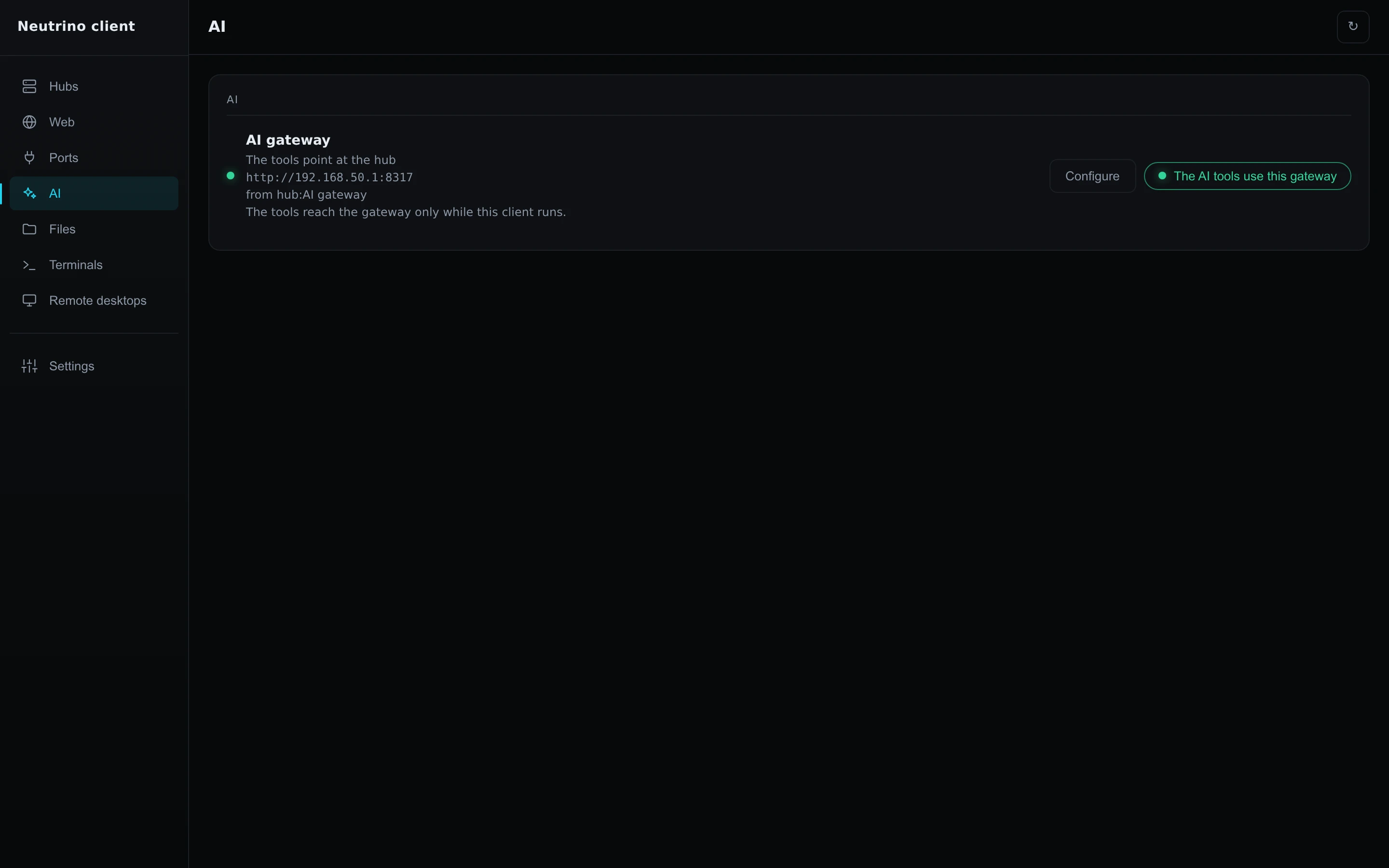
- In the laptop's client window, open AI.
- On the hub's entry, select The AI tools use this gateway.
The entry reads Switching tools…, then The tools point at the hub. Claude Code, Codex and Gemini CLI on the laptop reach the gateway while the client runs in the tray.
Read the usage per key
- On the AI page, under Activity, select Keys.
A table lists each key's requests and tokens over the last 30 days. The laptop's key is named client/ followed by the laptop's name. Access, lower on the page, lists the same keys with when each was last used.
