
English
Clients
A client is the program on a person's computer or phone that opens what the hub publishes. The Clients page makes the links clients join with. It also sets what each client can use, and switches a client off or removes it.
Make a client link
- On Clients, select New client link.
- Type a name that says whose device it is, such as
alice-laptop. - Select Create link. The notice shows the link with Copy, and the same link as a QR code.
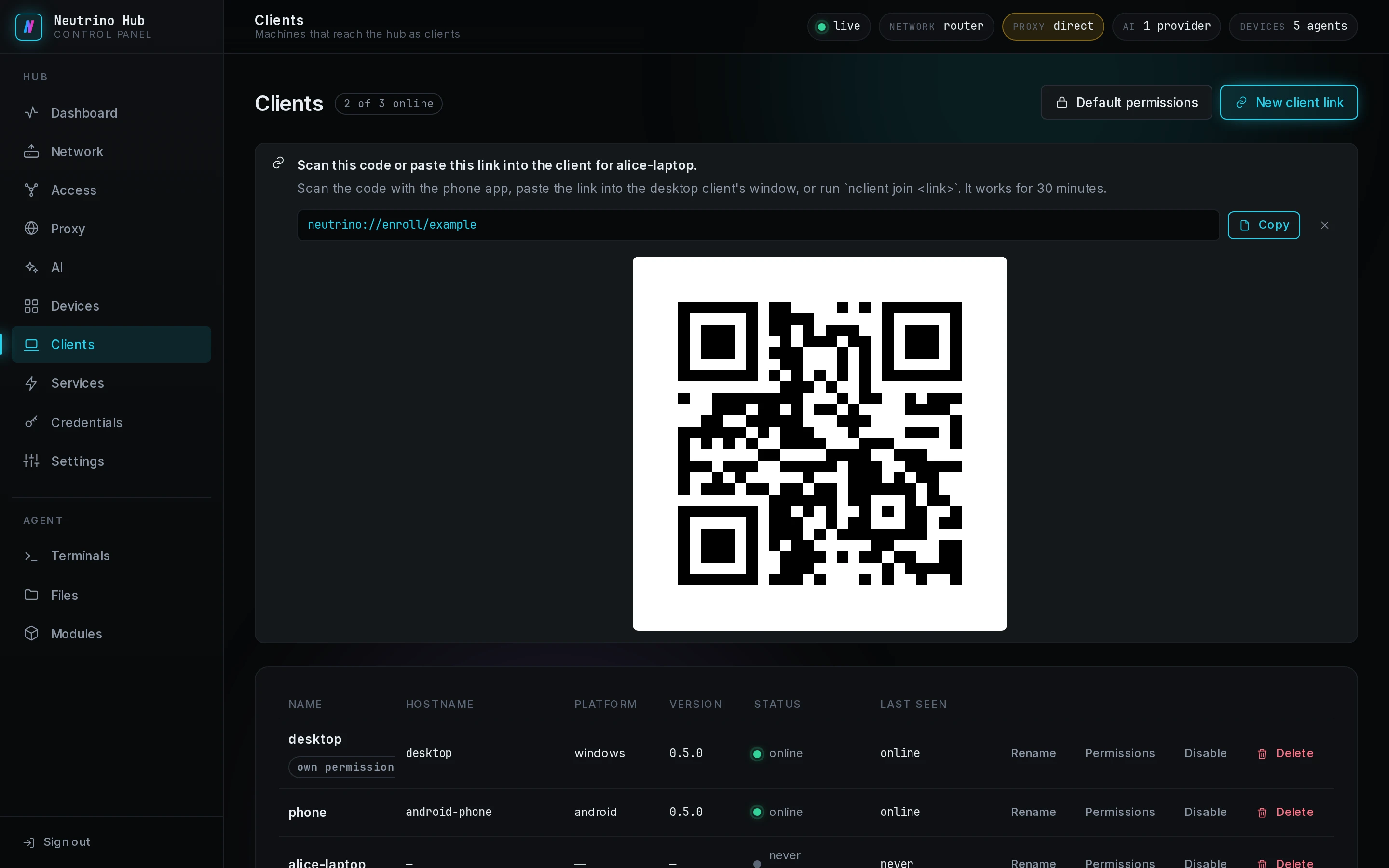
The link works for 30 minutes from the moment you create it, and one client joins with it one time. A restart of the hub within those 30 minutes keeps an unused link. Install a client shows how a person joins with it.
A new client link replaces the previous link when that one is still unused. Each link also adds its client's row to this page at once. A replaced link therefore leaves a row that never connects; select Delete on it.
The link also holds what the client needs to join the hub's virtual networks: the NetBird setup key, and the EasyTier secret or console address. With a one-time NetBird key, one client joins and the next one fails; Join the hub to NetBird shows how to replace it.
When a join fails, the cause is on Troubleshooting.
Permissions
Default permissions, at the top of the page, sets what every client can use. Permissions on a row opens that client's own settings; turn off Follow the default there to give it its own.
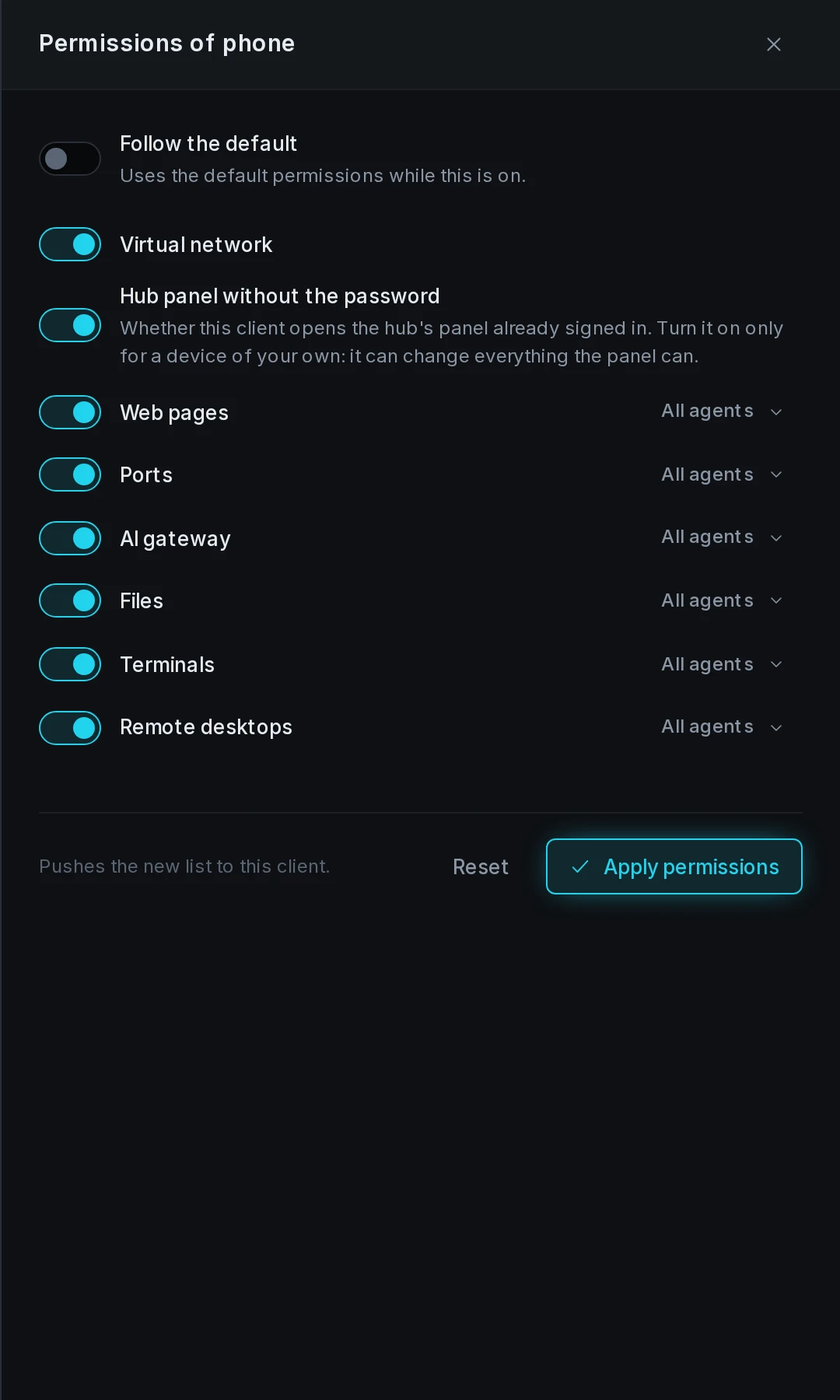
| Kind | What the client gets |
|---|---|
| Virtual network | joins the hub's virtual networks |
| Web pages | the web entries, opened in a browser |
| Ports | ports forwarded to the computer |
| AI gateway | its own key and the gateway's address |
| Files | shares to mount |
| Terminals | shells on managed machines |
| Remote commands | nclient terminal exec on managed machines |
| Remote desktops | the desktops machines share |
| Hub panel without the password | the Panel button on the client's hub row, already signed in |
Every kind but Remote commands and Hub panel without the password is on by default. With Remote commands, a script on the client runs commands on managed machines as root, or as the account each machine's Terminal module names. Hub panel without the password gives the client everything this panel can change. Turn on either only for a device of your own. Switching Remote commands off ends the commands that client is running at that moment.
After changing switches, select Apply permissions.
Device filters
Beside every switch but Virtual network and Hub panel without the password, a filter reads All agents. To narrow a kind to some machines:
- Select the filter beside the kind.
- Tick the managed devices whose entries the client can reach.
- Select Apply permissions.
With no device ticked, the kind reaches every device. The hub's own services count as the hub box's device.
Disable or delete a client
Disable switches a client off and revokes its AI gateway key; the client's hub row reads Disabled by the hub. Enable switches it back on with a new key.
Delete revokes the client's key and removes its row. The device joins again only with a new link. Both actions end at once every connection the client holds.