
English
File share
With the File share module, a managed Linux, Windows or Mac machine serves folders over SMB, and every client mounts them with one button. On Linux the module installs and runs Samba; on Windows and macOS it drives the system's own SMB server, so Install downloads nothing there.
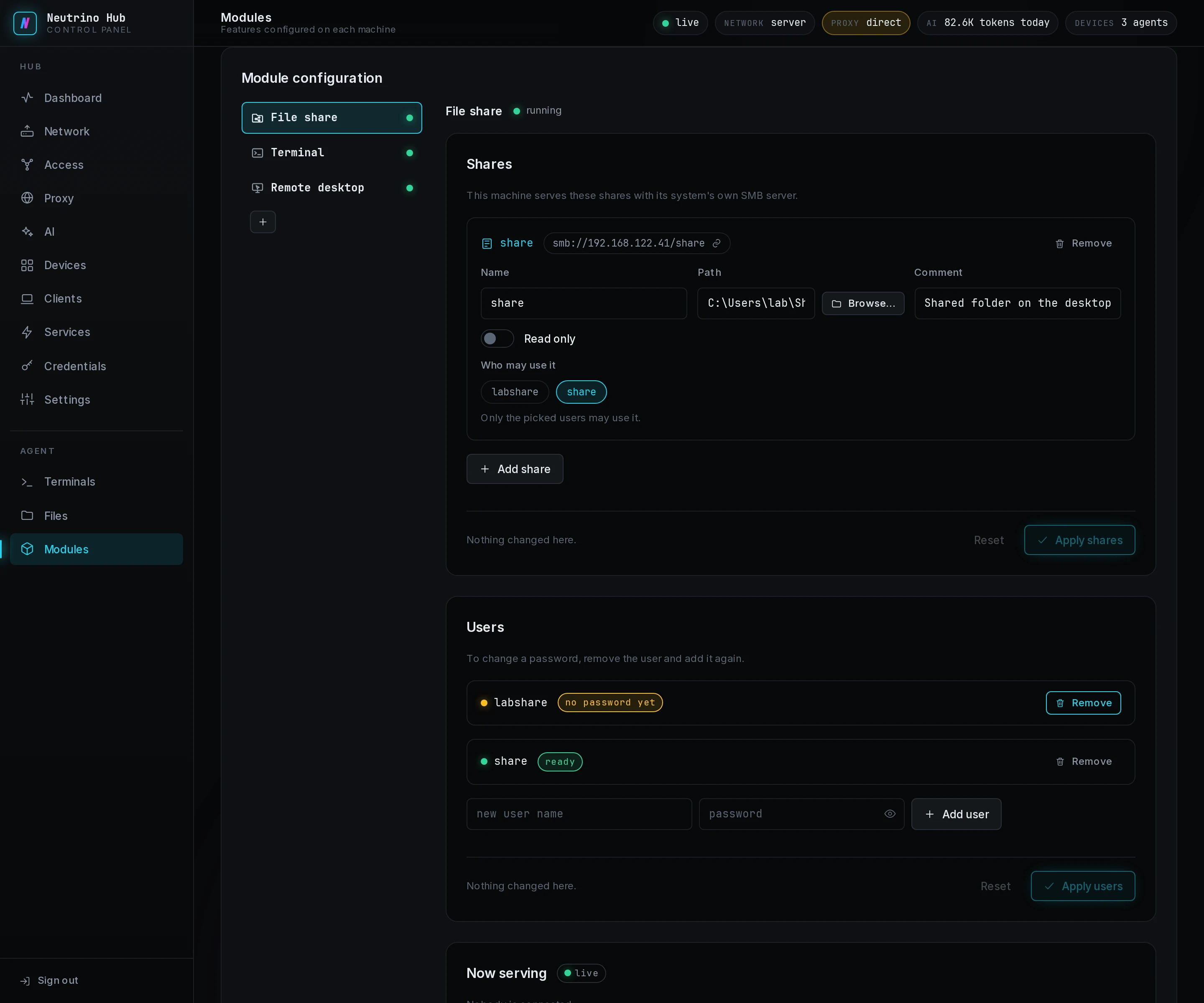
Before you add a share, select Install and then Configure on the File share tab of the Modules page. The Shares, Users and Now serving sections open under the tab.
Add users
Users are the accounts a client signs in with.
- Under Users, select Add user and fill the name and the password.
- Select Apply users.
A row reads created on apply or password set on apply until you apply, then ready. Passwords are kept only in the machine's own account store, so after a restore from backup a user reads no password yet until you add it again. To replace a password, remove the user and add it again.
Add a share
- Under Shares, select Add share.
- Fill Name, and fill Path with an existing folder on the machine.
- Optional: fill Comment, or turn on Read only.
- Under Who may use it, pick the users the share accepts.
- Select Apply shares.
With no user picked, every user under Users has the share. The copy button beside a share's name copies its smb:// address.
Allowed subnets
The shares accept connections only from the networks the Network page serves or exposes; in Server mode, every network the box holds an address on counts.
| System | How the machine limits SMB to those subnets |
|---|---|
| Linux | Samba's hosts allow, with 127.0.0.1 added |
| Windows | a firewall rule, Neutrino file share fence, blocking TCP 445 from other addresses |
| macOS | a pf anchor, com.apple/neutrino_smb, loaded each time the agent starts |
WARNING
On Windows and macOS the fence covers every share on the machine, including shares made outside the hub.
On Windows and macOS
The module changes only the shares and accounts it made. Its accounts are hidden from the sign-in screen and cannot sign in at the console; on macOS they have no login shell and no home folder. Uninstall removes the module's shares, disables its accounts and deletes the fence.
macOS guards the Desktop, Documents and Downloads folders. To share a folder inside one of them, add the SMB server under System Settings > Privacy & Security > Full Disk Access.
Now serving
Now serving lists the open connections: the user, the client, and the shares it holds open, and how full each share's disk is. Each share is a row under Files on the Services page. A desktop client mounts it from its Files page, and the Android app opens it in the system's Files app.