
English
Credentials
The Credentials page stores each SSH key, login and token once, in the hub's vault. Other pages that sign in somewhere pick a stored entry from a list.
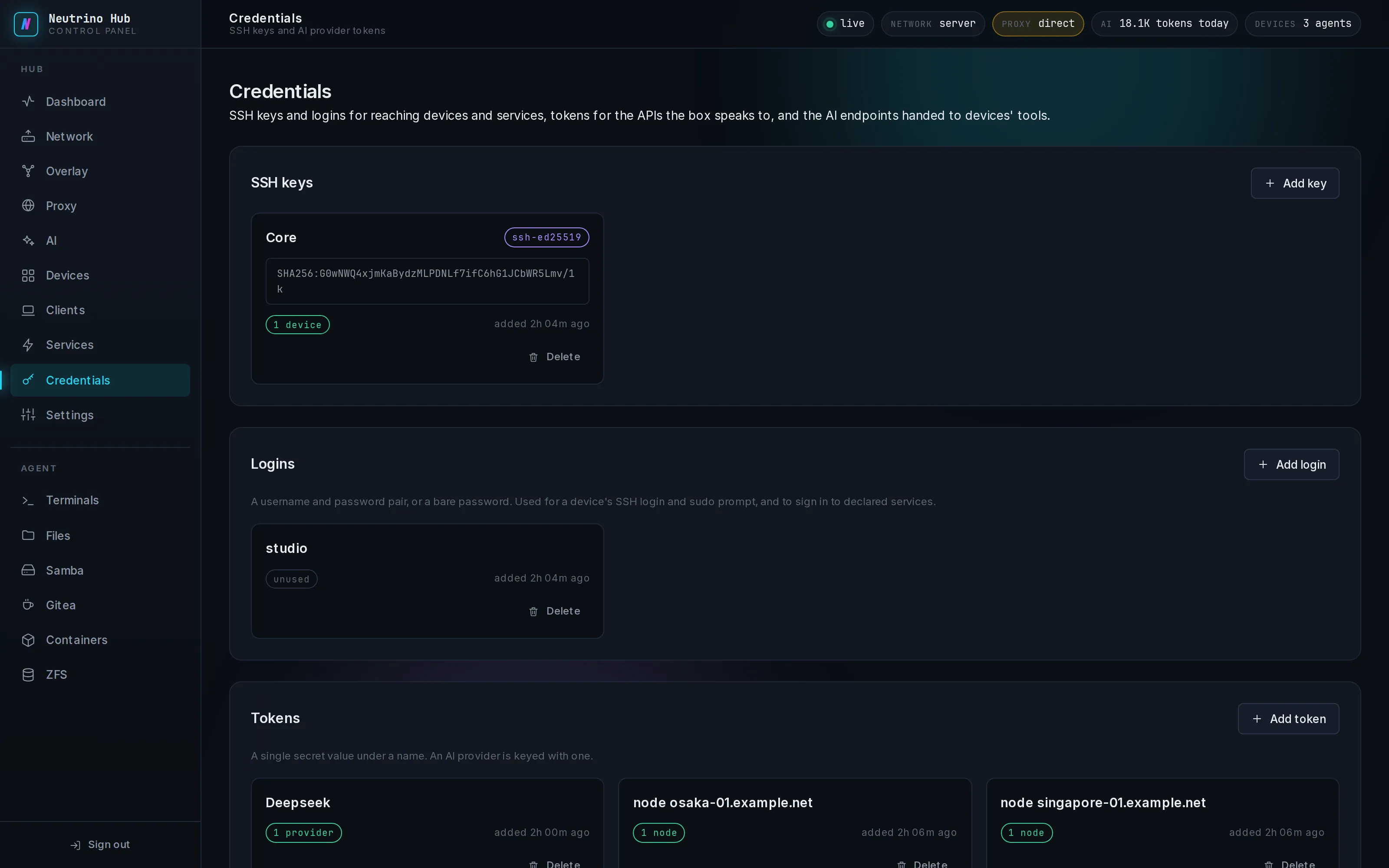
Keys, logins and tokens
SSH keys hold a private key and its passphrase, Logins a username and password, and Tokens one secret value under a name.
To add an entry:
- Select Add key, Add login or Add token.
- Fill Name and the value. Paste a private key whole, with its BEGIN and END lines.
- If the key is encrypted, fill Key passphrase.
- Select Save key, Save login or Save token.
After saving, the page shows where the entry is used, and the value is hidden. To change a value, delete the entry and add it again. When the hub rejects an entry, the code is on Troubleshooting.
Who uses them
| Where | Kind it picks |
|---|---|
| Install agent on the Devices page | an SSH key or a login, and a login for sudo |
| SSH Relay on the Access page | an SSH key or a login |
| A VS Code, CloudCLI or Codeg instance on a Windows machine | the Windows login of the account it runs as |
| A provider on the AI page | a token, as the provider's API key |
| An exit node on the Proxy page | a token, where the node's link has one |
When a Windows account's password changes, add a login with the new password, pick it for the instance, and apply the module again.
Delete opens a confirmation that counts the entry's users. An exit node that loses its token is disabled, and the SSH Relay stops.
The vault
Every value is in config/credentials/vault.json, encrypted with one data key. The data key is stored wrapped under the vault passphrase you set during setup, so a backup of config/ holds only encrypted values. The box keeps a working copy of the data key outside config/, so the hub reads the vault without the passphrase.
Change the passphrase
On the hub box, run the rekey command and type the new passphrase twice:
bash
sudo nhub vault rekeyThe command wraps the same data key under the new passphrase. It works even when the old passphrase is lost, because the box reads the vault with its working copy. Take a new backup of config/ after the rekey.
WARNING
A backup opens only with the passphrase it was taken under. With that passphrase lost, the keys, logins and tokens in that backup are lost too, and each one is entered again on the restored box.