
English
Terminals
The panel's Terminals page opens a shell on any managed machine whose agent is online, and returns you to the sessions the machines keep.
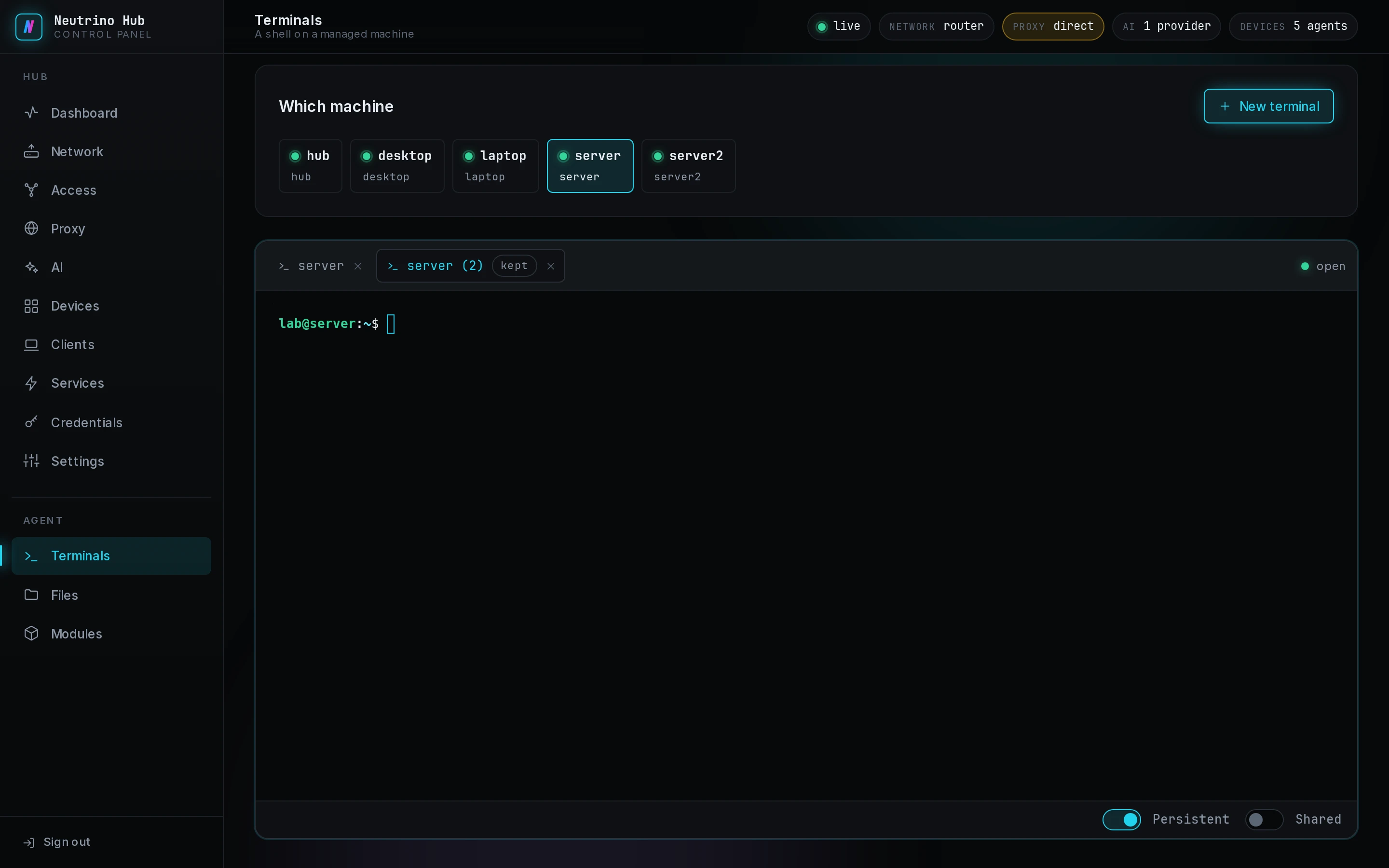
Open a shell
- Under Which machine, select a machine.
- Select New terminal.
The shell runs as the account the machine's Terminal module names, and as root on Linux and macOS when it names none. On Windows it is PowerShell running as SYSTEM. The Terminal button in a device's drawer on Devices opens this page on that machine.
Keep or share a session
Two switches under the shell belong to the tab on show, and both start off. Only the side that opened the session changes them; on another opener's session they are greyed, with Opened by and the name.
| Switch | When it is on |
|---|---|
| Persistent | the shell keeps running after you close the browser, reload the panel or sign out |
| Shared | every client with terminal rights on that machine lists the session and can attach to it |
With both off, the shell ends when its tab closes. A restart or an upgrade of the agent ends every session.
Return to a session
When the panel loads, the page adds a tab for every session the online machines hold. The first tab attaches at once and shows the last 256 KB of output; the others attach when you select them. A tab shows kept for a persistent session, shared for a shared one, and 2 open while two windows are attached.
The panel attaches to any session. A client attaches only to its own sessions and to shared ones, and when the opener turns Shared off, the other clients are disconnected.
Any number of windows attach to one session. Each shows the same output, keystrokes from any of them reach the shell, and the shell takes the size of the smallest window.
End a session
- On a tab this panel opened with both switches off, select the × to end the shell.
- On any other tab, select the × twice: the first press arms it, and the second ends the session on the machine.
- In the shell, run
exit.
A session that ends on the machine leaves its tab reading Ended, with its last output. This session closed. under the shell means the tab lost its connection to the machine.