
English
Codeg
Codeg runs Claude Code, Codex, Gemini CLI and twelve more coding agents in one web page, and continues the sessions those agents keep on disk. The Codeg module runs its server once per account on a managed machine. You install Codeg on the machine from its publisher's release, under the Apache-2.0 licence, at version 0.35.1. CloudCLI is the other module for sessions in the browser.
| System | Machines that run it |
|---|---|
| Linux | amd64 and arm64, with glibc 2.34 or newer, which the machine's agent package needs as well |
| macOS | Apple silicon and Intel |
| Windows | amd64 |
Add an instance
- On the Codeg tab of the Modules page, select Install. The tab reads installing until the software is on the machine.
- Select Configure. The Instances section opens on the right.
- Select Add instance.
- Fill Account with the name of an account on the machine.
- Optional: change the Port. The first instance gets 3101.
- On a Windows machine, pick the account's login under Windows login for the account.
- Select Apply Codeg.
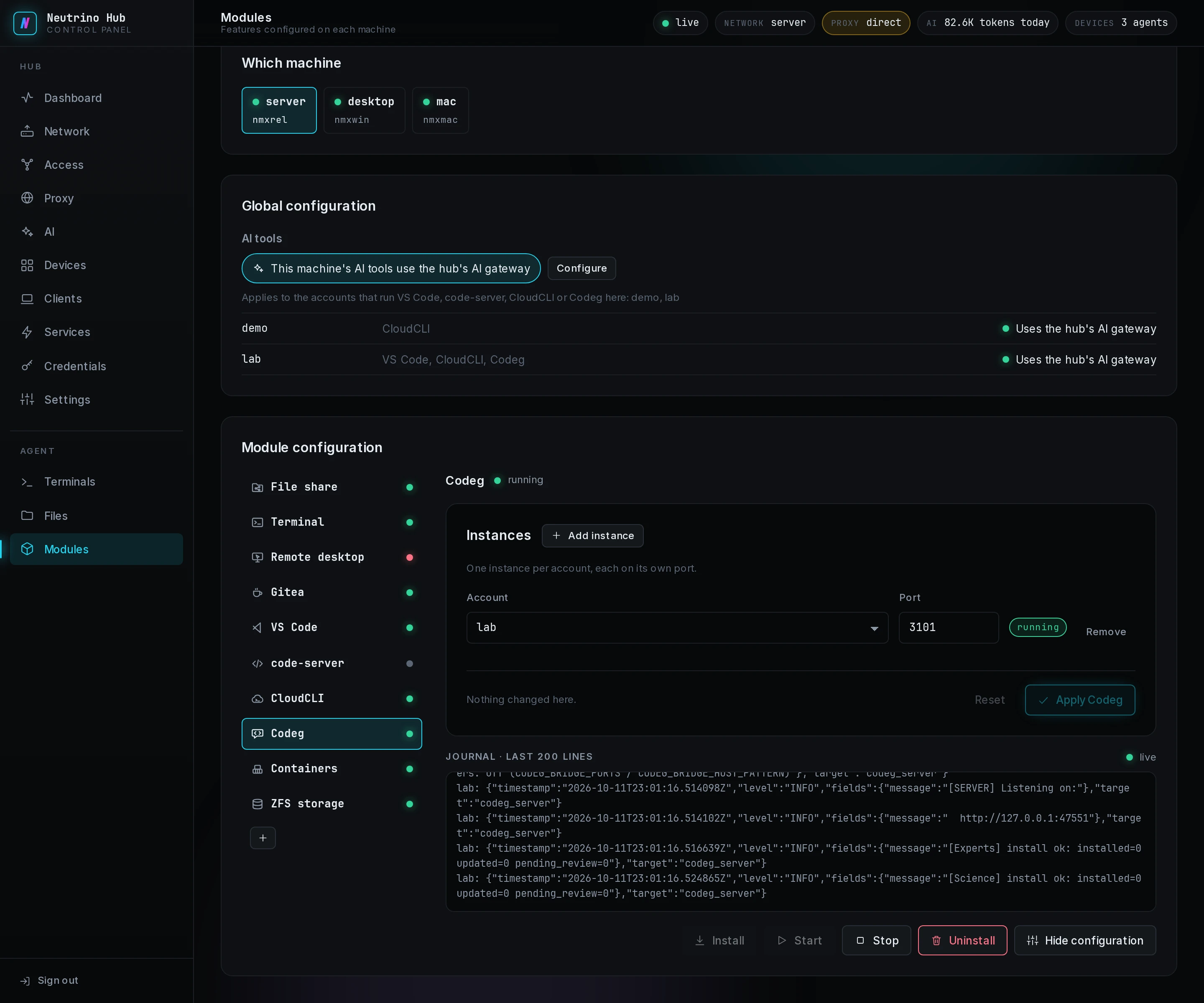
The module's installer fetches Codeg's server bundle from GitHub and Node.js from nodejs.org, about 110 MB together. The machine's agent unpacks both into its own directory, shared by every account. The mainland edition fetches Node.js from npmmirror and the server bundle from GitHub as well, which is slow there. Codeg's own Software Update screen cannot change this install; a newer Codeg comes with a newer hub.
Each instance runs as its account, and its row reads running or not running. On Windows, store the account's login under Logins on the Credentials page before you pick it. When an install or an apply fails, the row names the code, listed under Errors on the Modules page in troubleshooting.
What the service finds on its PATH
Codeg and the coding agents it starts look up programs, git among them, in the PATH the module writes for the instance's service:
| System | The service's PATH, in order |
|---|---|
| Linux | the module's Node.js folder, ~/.local/bin, ~/bin, /usr/local/bin, /usr/bin, /bin |
| macOS | the module's Node.js folder, ~/.local/bin, ~/bin, /opt/homebrew/bin, /usr/local/bin, /usr/bin, /bin |
| Windows | the module's Node.js folder, %APPDATA%\npm, then the account's own PATH |
Codeg installs each coding agent itself, with npm from registry.npmjs.org, under its data directory. A program you add for the coding agents to call goes into one of these folders, installed as the account.
Open it from a client
Each running instance is a row under Web on the Services page, titled Codeg with the account in parentheses. A client with the Web pages permission on that machine opens it with Open on its Web page. The forwarder in front of Codeg checks the client's one-time token and stores Codeg's own token in the browser. The browser then opens the workspace, signed in. When that stored token is gone, Codeg shows its sign-in page with a token field; select Open again, and the forwarder stores the token anew.
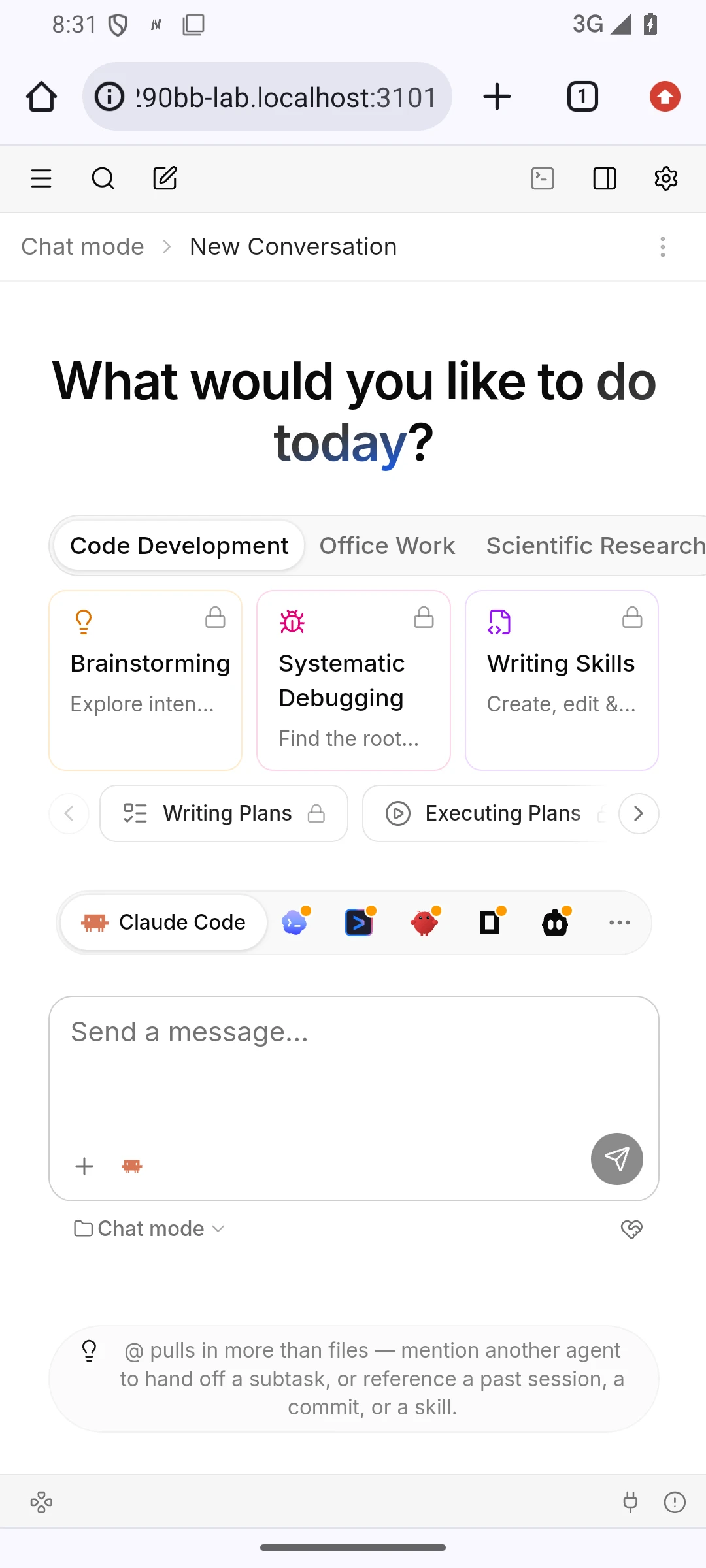
The first open
The first session with a coding agent installs that agent's adapter; Codeg fetches it with npm from npmjs.org in both editions. The install takes one to two minutes. Settings > Agents lists every coding agent with the state of its adapter.
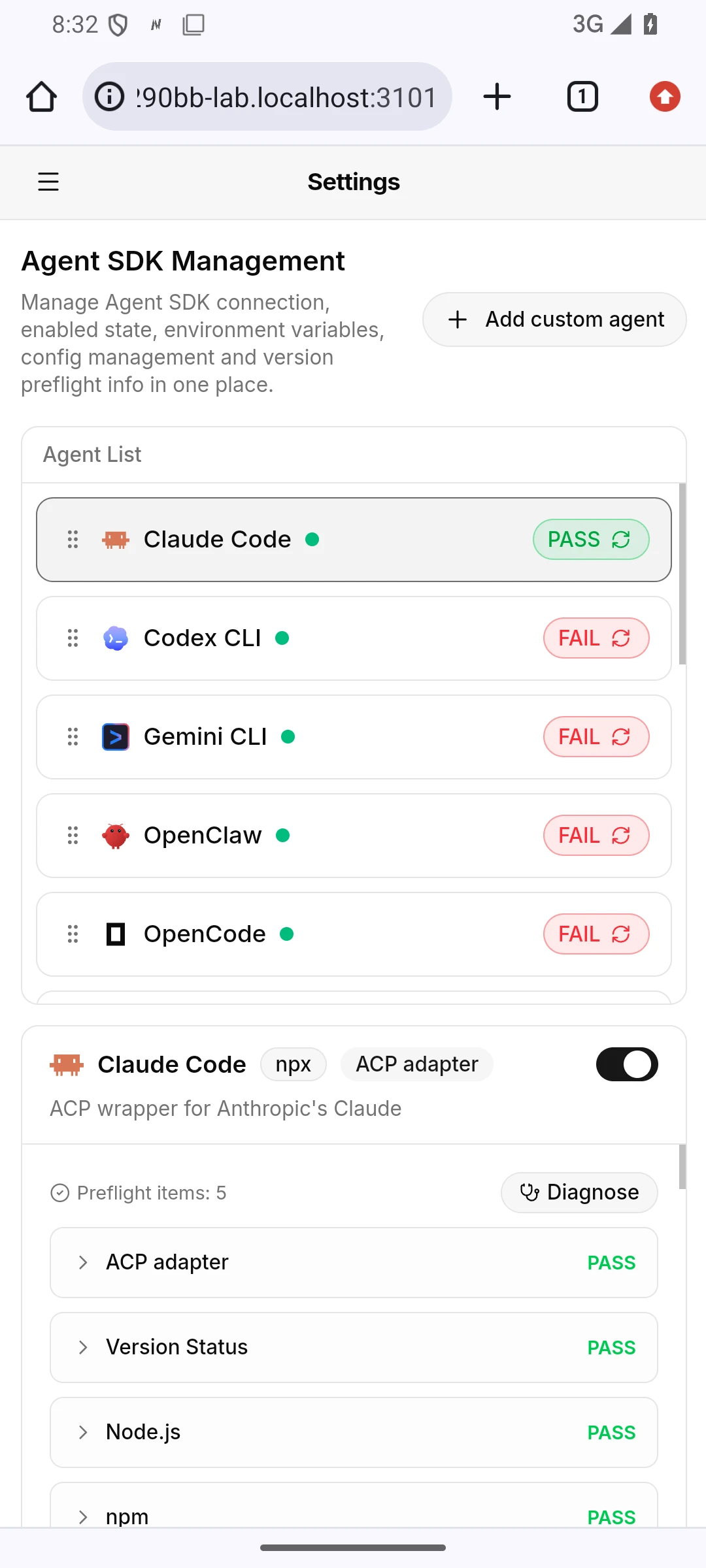
The Claude Code and Codex entries are ACP adapters, and they read the account's own tool files, ~/.claude/settings.json and ~/.codex/config.toml. The machine's setting in Point a machine's AI tools at the gateway writes those files. So these two agents' requests go through the hub's gateway as well. Codeg's own Model Providers settings write the same files, and the machine's setting writes them back at its next apply.
Sessions from the terminal
A session you ran as the account in a terminal, in Claude Code or Codex, is on the machine's disk, and Codeg reads it from there:
In the workspace, select Import local sessions.
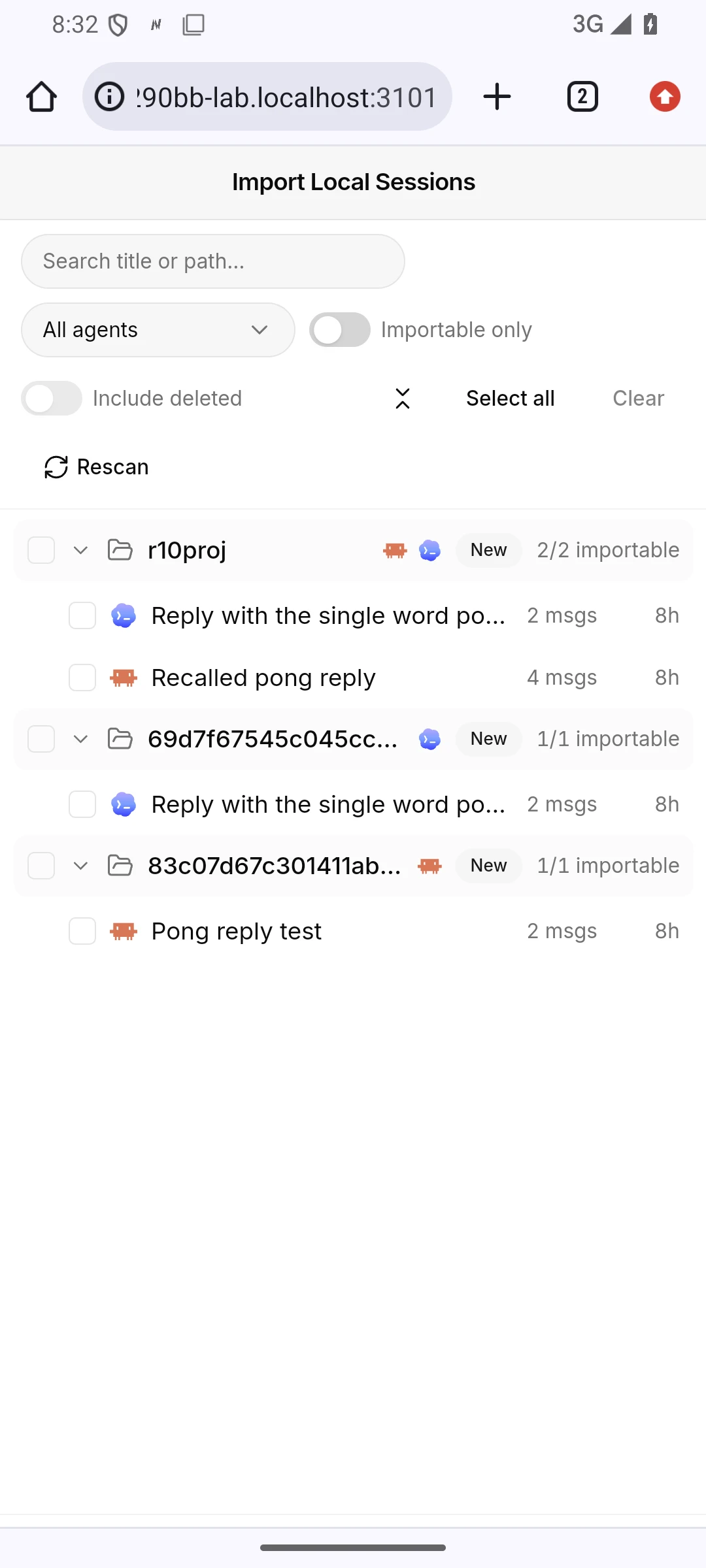
Open an imported session, and type in its box to continue it.
Memory
An open session takes about 300 MB on the machine while its page is open. A few minutes after the page closes, the session's coding agent exits and the memory is free again.
Logs
The output box on the Modules page shows the last lines of Codeg's own daily log, logs/codeg-server.<date>.log under the account's data directory:
| System | Codeg's data directory |
|---|---|
| Linux | ~/.local/share/neutrino/agent/codeg/ |
| macOS | ~/Library/Application Support/Neutrino/agent/codeg/ |
| Windows | %LOCALAPPDATA%\Neutrino\agent\codeg\ |
The directory also holds Codeg's database, its uploads and the coding agents it installed. Uninstall removes the server bundle and Node.js from the machine and keeps this directory.