
English
Settings
The Settings page holds the panel's HTTPS, its name, password, language and theme, the configuration backup, and hub updates. The last section lists the terminal commands for a lost password or a lockout.
HTTPS
The panel serves HTTP on 8080 and HTTPS on 443 unless setup chose other ports, as set under Panel ports on the Network page. The HTTPS port serves a certificate signed by a certificate authority this hub makes for itself.
Install the authority and restart the browser on each device you use, then turn HTTPS on once for the hub.
Install the authority
Before you start, open the panel at its http:// address on the device you are setting up.
- Under HTTPS, select Install certificate. The browser downloads the authority as a
.crtfile named after this hub. - In the row of systems, select yours.
- Follow the steps for your system in the following table.
- Restart the browser.
| System | Steps after the download |
|---|---|
| Windows | Open the file, choose Install Certificate and Local Machine, and place it in Trusted Root Certification Authorities. |
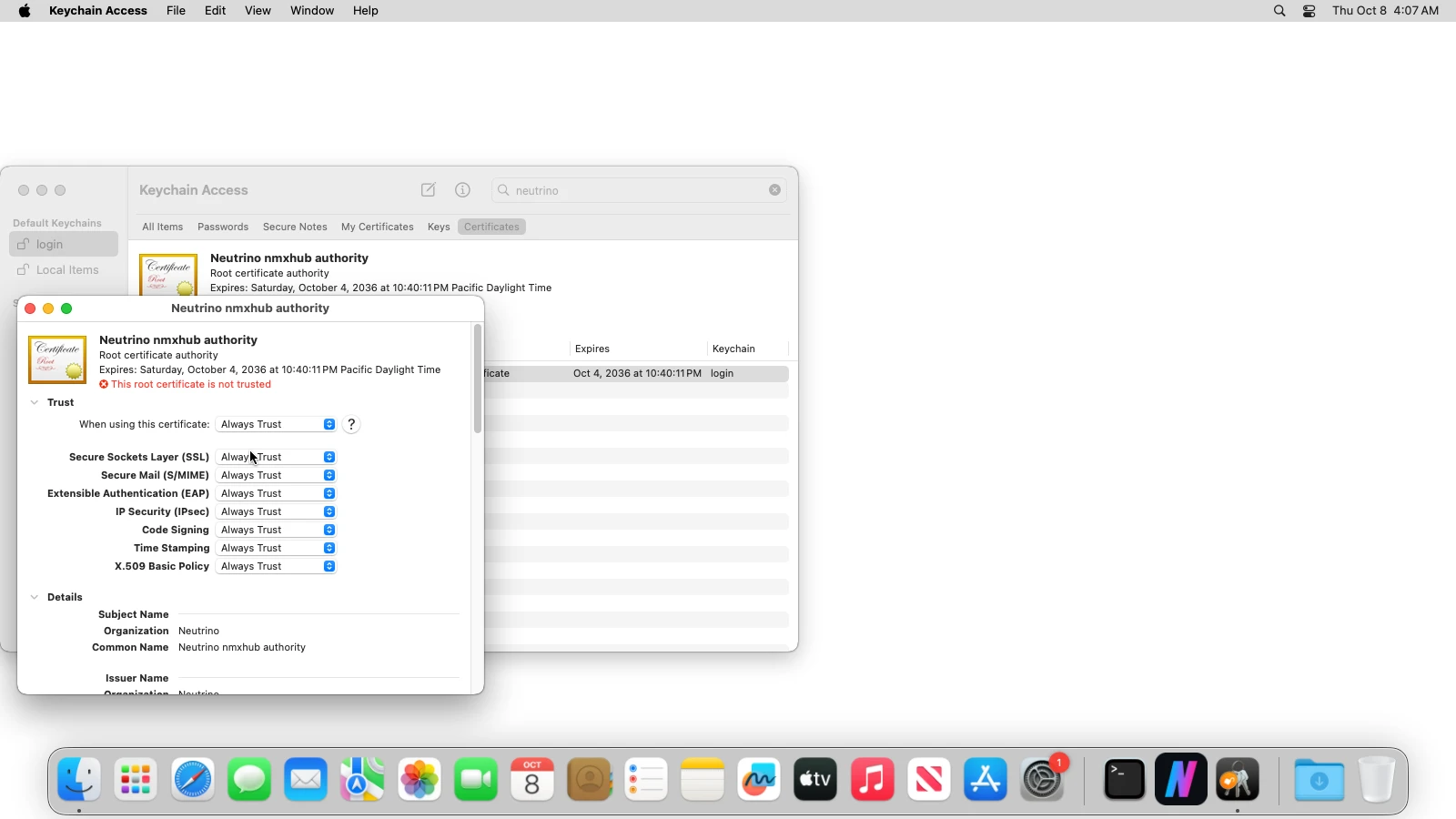
| macOS | Open the file to add it to the login keychain. In Keychain Access, open the Neutrino authority and set When using this certificate to Always Trust. |
| Linux, Chrome | Open chrome://certificate-manager, then Custom > Trusted certificates > Import, and pick the file. |
| Linux, Firefox | Open Settings > Privacy & Security > View Certificates, import the file on Authorities, and tick Trust this CA to identify websites. |
| Android | Open Settings > Security > Encryption & credentials > Install a certificate > CA certificate, then pick the file. |
| iPhone and iPad | Download the file in Safari, install the profile under Settings, then turn on full trust in General > About > Certificate Trust Settings. |
With HTTPS already on, another device downloads the authority from http://<hub-address>:8080/api/hub/setting/https/authority, where <hub-address> is the hub's address.
Turn HTTPS on
Open the panel's http:// address after the browser restarts. The line beside the HTTPS buttons reads This browser trusts the certificate. when the authority is installed; otherwise Enable HTTPS is greyed.
Select Enable HTTPS. The page moves to the https:// address, and from then on the HTTP port sends every browser there. Disable HTTPS moves the page back to the http:// address, where you sign in again.
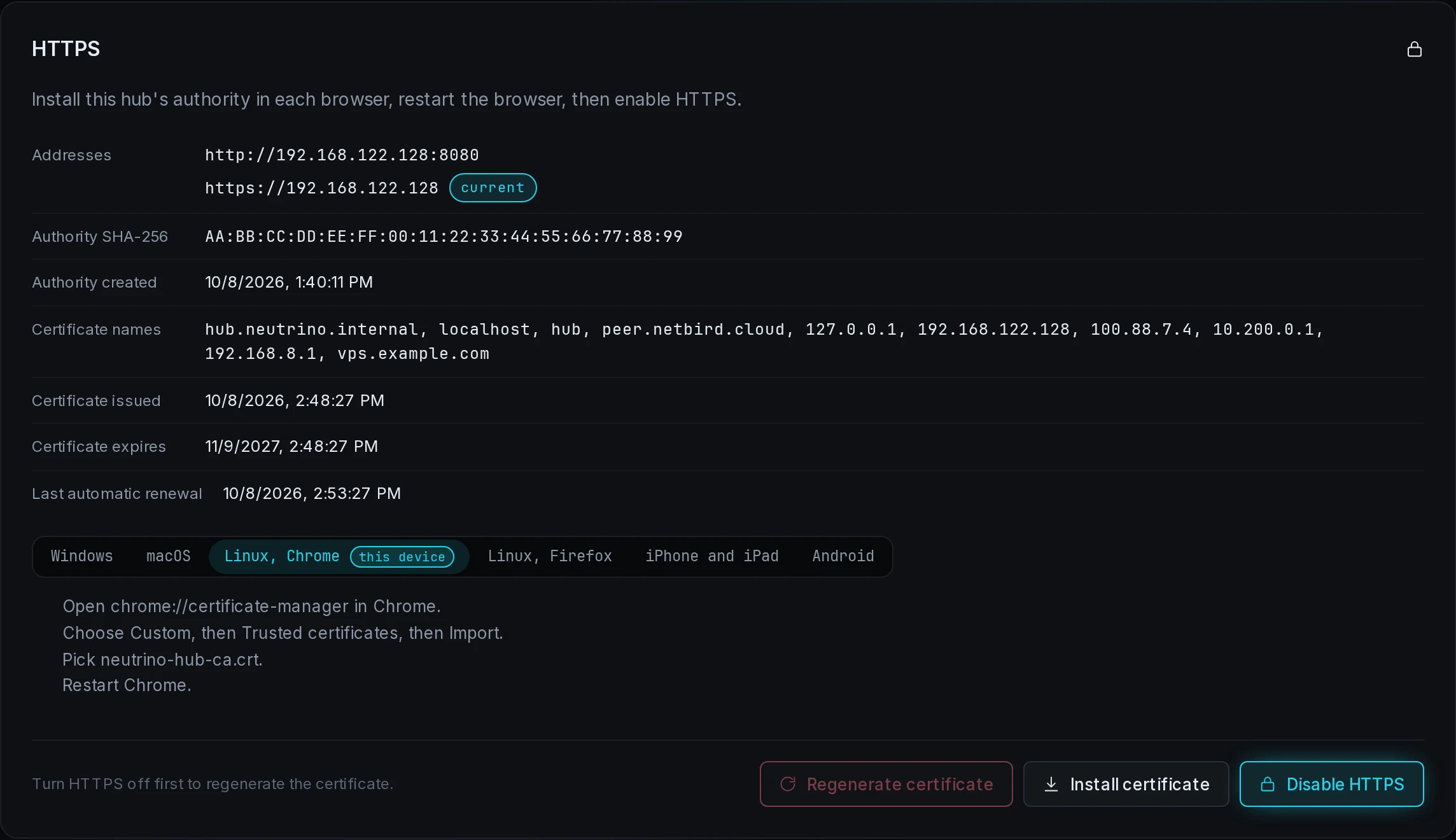
The certificate covers the box's private and overlay addresses, its host name and hub.neutrino.internal. A browser that opens the panel at a public address warns even with the authority installed.
The section's status lines show the addresses, the authority's SHA-256 fingerprint, the names the certificate covers, and its dates. The hub signs a new certificate when the box's addresses change and 30 days before the old one expires. A browser that trusts the authority accepts it.
Regenerate the authority
Regenerate certificate replaces the authority and the certificate, and every browser that installed the old authority warns until it installs the new one. On an https:// page the button is greyed.
- If HTTPS is on, select Disable HTTPS, and sign in again at the
http://address. - Select Regenerate certificate, then confirm. The browser downloads the new authority at once.
- Install the new authority as in Install the authority, and restart the browser.
- Select Enable HTTPS.
A restored backup keeps the authority, because it is part of config/.
Hub name, password, language and theme
| Section | Fields | Button |
|---|---|---|
| Hub name | Name, the name every joined client shows this hub under | Apply name |
| Panel password | Current password, New password, Confirm new password | Change password |
| Language | Language, the language the panel is drawn in | Apply language |
| Appearance | Theme: System, Dark or Light | Apply theme |
Other sessions stay signed in after a password change. System takes the color scheme from the browser.
Back up the configuration
Under Configuration archive, select Download backup. The browser saves a .tar.gz of the whole of config/.
The credentials inside are sealed under the vault passphrase; the rest is readable by whoever holds the file. Share contents, Gitea repositories, container volumes and ZFS datasets stay on their machines.
Restore a backup
- Under Configuration archive, select Restore from file and pick the archive.
- In the dialog, fill Vault passphrase with the passphrase the backup was sealed with.
- Select Restore.
The archive's files replace every file under config/, the hub applies them, and the panel restarts. Sign in with the restored password. Agents and clients connect again by themselves. On a different box, sign in to each AI subscription account again.
When the dialog shows a code, nothing is restored; the codes are on Troubleshooting. When the apply after a restore stops short, the files stay restored; fix the cause the dialog names, then run sudo nhub apply.
Update the hub
To install a newer release of the hub:
- Under Update, select Check for updates. The section shows the newest release with its Release notes and the disk space it needs.
- Select Install followed by the version, then confirm.
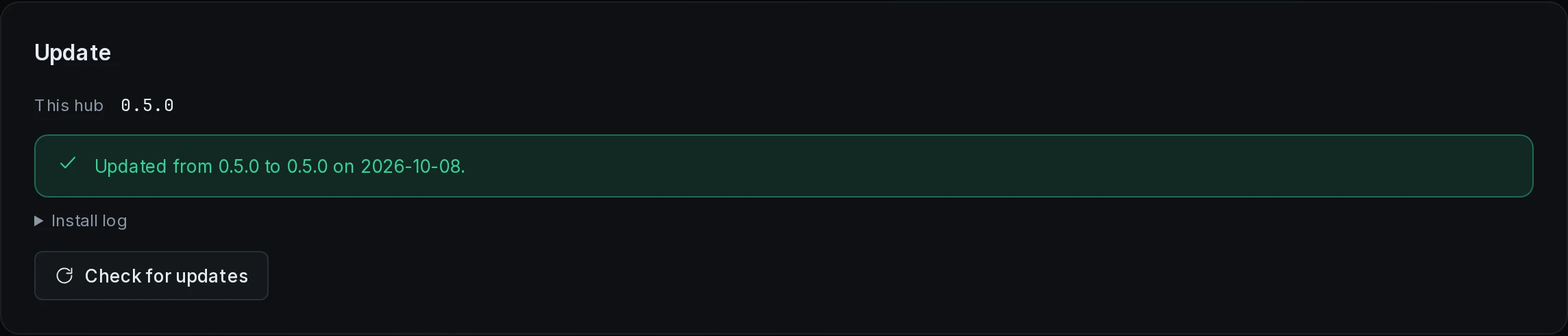
The panel downloads the package, checks it against the release's SHA256SUMS, and installs it. The page returns to the sign-in, and afterwards the section names the old version and the new one.
For up to three minutes after the install, the update checks that the panel and its services run. When the check fails, it installs the previous version again, and the section shows the reason and the Install log.
After the check passes, the hub box's own agent is updated, and agents on other machines update themselves when they connect. A new major version does not install from here.
sudo nhub update does the same from a terminal, and --package installs a package file you downloaded yourself. On Linux, the update's log is in journalctl -u neutrino_hub_update.
Reset from a terminal
| Command | What it does |
|---|---|
sudo nhub reset password | sets a new panel password and signs every session out |
sudo nhub unlock | removes the sign-in lockout after repeated failures, and every fail2ban SSH ban |
On Windows, run them in an administrator PowerShell without sudo. Returning the box to a fresh state or handing its network back is on Uninstall. Every nhub subcommand is on nhub commands.