
English
Remote desktop
Sharing a managed machine's desktop with the clients of this hub takes one switch, on the Remote desktop tab. The switch is off on a new machine, and the agent's own package includes RustDesk, so the module has nothing to install.
Share the desktop
- On the Remote desktop tab of the Modules page, turn on Share this machine's desktop.
- Select Apply remote desktop.
- In a client, under Remote desktops, select Connect.
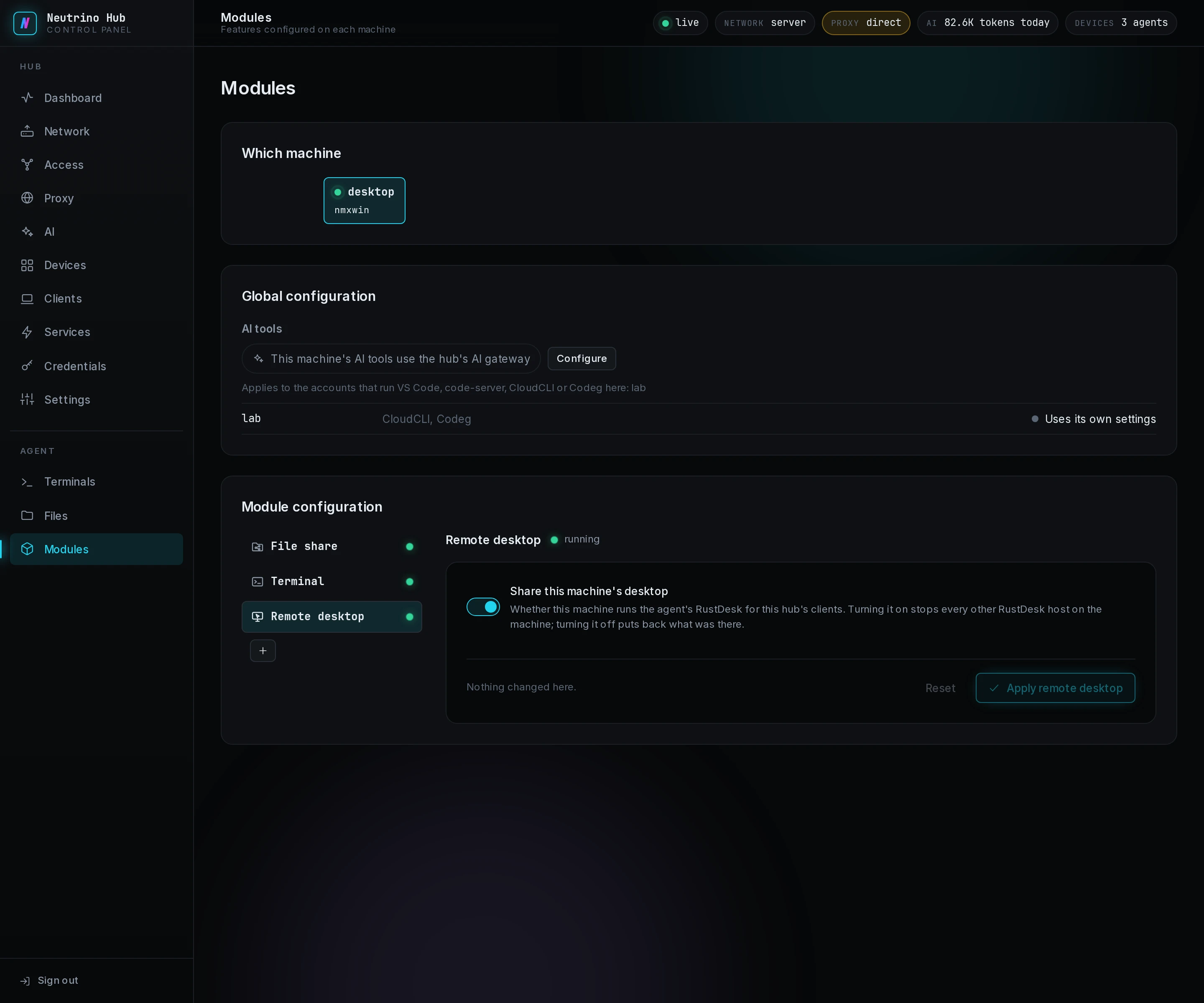
The agent stops every other RustDesk host on the machine and runs its own copy under RustDesk's service names, so the share returns after a restart. A RustDesk viewer open on the machine keeps running.
A viewer sees the desktop of whoever is signed in at the machine's screen, and with nobody there, Connect fails. On a Mac, the person at the screen grants RustDesk Screen Recording and Accessibility one time, in a dialog that names both. On Linux with Wayland, that person allows screen sharing one time.
The share uses the direct port 21118 and none of RustDesk's servers. Each time its host starts, RustDesk 1.4.9 asks three public STUN servers (stun.l.google.com, stun.cloudflare.com, stun.nextcloud.com) for the machine's IPv6 address, with no id in the request.
A step that fails shows its code on the tab, and Apply remote desktop tries it again. The codes are under Remote desktop in troubleshooting.
Stop sharing
Turn the switch off and select Apply remote desktop. The agent's RustDesk stops, and a RustDesk installed on the machine before comes back as it was. The agent does the same at once, whatever the switch says, when it is uninstalled or when the machine leaves the hub or is removed on Devices.